
If you want to browse marketplace inventory the way full-time resellers do, you need more than scrolling and hoping. I’ll show you how to browse Facebook Marketplace, Craigslist, OfferUp, and Vinted with smart search, filters, and alerts so you can find cheap listings fast and message first.
This guide gives you a repeatable system: set up your accounts, search smarter, filter marketplace deals, automate saved searches, comp prices in 60 seconds, and turn browsing into profit. With about 7 in 10 U.S. adults reporting Facebook use, according to Pew Research Center’s social media fact sheet, the competition for local deals is real — speed wins.
What Do You Need to Browse Marketplace Like a Pro?
You don’t need fancy software to start. You need clean accounts, a clear niche, and 20 minutes a day.
Tools to install before you browse marketplace:
- Facebook account in good standing with profile photo, Marketplace access, and Messenger installed
- OfferUp, Craigslist, and Vinted apps with location services on
- Google Chrome + eBay app for sold comps
- Payment ready: cash for local pickup, Venmo/Zelle as backup
H3: Create and Optimize Your Buyer Accounts
Sellers sell to buyers they trust. Add a real photo, your first name + last initial, and your city. Complete ratings on OfferUp and Facebook by buying a few small items first.
Save two locations: home and the nearest affluent suburb or big city within driving distance. On iPhone and Android, allow “precise location” or you’ll get weird radius results.
H3: Define Your Flip Niche, Budget, and Profit Criteria
Don’t browse everything. Pick 2-3 categories you know — mid-century furniture, power tools, Apple electronics, sneakers, designer denim.
Write down your rules:
- Max buy price: e.g., $100 for furniture, $50 for smalls
- Target margin: at least $75 profit after gas and fees, or 2x your money
- Max drive: 20-25 miles for items under $100, 45 miles for $300+ flips
Pro Tip: Start with bulky furniture and “moving sale” bundles. New resellers ignore them because of pickup hassle, which means less competition and bigger discounts.
Step 1: How to Browse Marketplace Using Smart Search Techniques?
Most people type “couch” once and quit. Pros run 5-6 variations per item.
You can browse Facebook Marketplace directly on desktop for faster filtering, then use mobile for messaging. Desktop lets you open 10 tabs, change location quickly, and sort without the feed resetting.
H3: Master Keywords, Categories, and Location Radius
To browse Facebook Marketplace by location, tap the location pin, enter a ZIP for a wealthy suburb like Plano, TX or Bellevue, WA, and set radius to 20-40 miles. Repeat for 2-3 ZIPs around you.
Use synonym stacks:
- Couch = sofa, sectional, loveseat, couches, settee
- Dresser = chest of drawers, bureau, drawers, nightstand bundle
- PS5 = Playstation 5, PS 5, Play station, gaming console
Also try misspellings: “dyson” as “dison,” “Herman Miller” as “Herman Muller,” “DeWalt” as “Dewalt tools.” Those typos hide deals from everyone else.
H3: How to Browse Facebook Marketplace Without Getting Stuck in the Feed
Ignore the “For You” feed. Go to Categories > Furniture or Electronics, then tap Sort > Newest first. Drill down: Furniture > Sofas instead of staying in All Categories.
Scroll with intent: search, sort newest, scan photos only for 2 minutes, open 3-5 promising listings, then change keyword. Don’t like or save everything — it trains the algorithm to show you shipped junk instead of local pickups.
Common mistake: only searching one big city. Add surrounding college towns and suburbs where people move often.
Step 2: How to Browse Marketplace Deals With Filters That Actually Work
Here’s where you learn to filter marketplace deals instead of doomscrolling.
On Facebook Marketplace, combine: Price + Condition + Date Listed + Local Pickup. Example for flipping: $0-$120, Condition Used/Like New, Listed in last 7 days, sorted by newest.
| Goal | Filter Combo to Save |
|---|---|
| Cheap furniture flips | $0-$150, Furniture, Within 20 miles, Listed today, Local pickup |
| Free + curbside scores | $0-$0 (or Free category), Within 10 miles, Listed within 24 hours |
| Electronics arbitrage | $20-$250, Electronics, Like New/Used-Good, Newest first |
| Bundle deals | Keyword “bundle” + “moving” + “must go”, $50-$300, 40-mile radius |
H3: Price, Condition, and Listing Age Filters That Surface Deals
Set price under market value on purpose. If restored dressers sell for $250, cap your browse at $80. You’re filtering out retail-priced listings.
Use Date Listed aggressively. “Listed within 24 hours” is where underpriced flips live. Older listings are good for lowball offers — anything sitting 14+ days is negotiable.
H3: Advanced Marketplace Browsing Tips for High-Value Flips
One of my favorite marketplace browsing tips: search “OBO,” “must go today,” “moving,” “storage,” and “make offer” inside your category. Pair that with poor photos but strong brand names in the title — “wood table” that’s actually West Elm in photo #3.
Save each winning filter combo. On Facebook you can bookmark the URL on desktop in a folder called “Daily Sweeps.”

Step 3: How to Set Up Saved Searches and Alerts So You Never Miss Underpriced Listings?
Saved searches are how you find cheap listings fast without living on your phone.
H3: Create Saved Searches on Facebook Marketplace
On mobile: Search “Herman Miller chair under $150” > tap Save Search (bell icon) > Allow notifications. On desktop: run the search with filters > click Save Search on the right.
Create 5-10 saved searches:
- “Free moving boxes + furniture” within 10 miles
- “Dyson V11” under $150 within 40 miles
- “DeWalt tool lot” under $200, local pickup
- “Mid century dresser” under $100
H3: Turn On Notifications and Build a Daily Browsing Routine
Native alerts are slow, so routine matters. Do a 10-minute sweep in the morning (6:30-7:30am before work) and evening (8-10pm when people list after dinner). Hit weekends hard: Friday-Sunday garage-sale hours and end-of-month moving deals on the 25th-31st.
Pro Tip: Turn on push for only your top 3 money searches. If you enable alerts for everything, you’ll mute them all — and miss the $40 Eames-style chair.
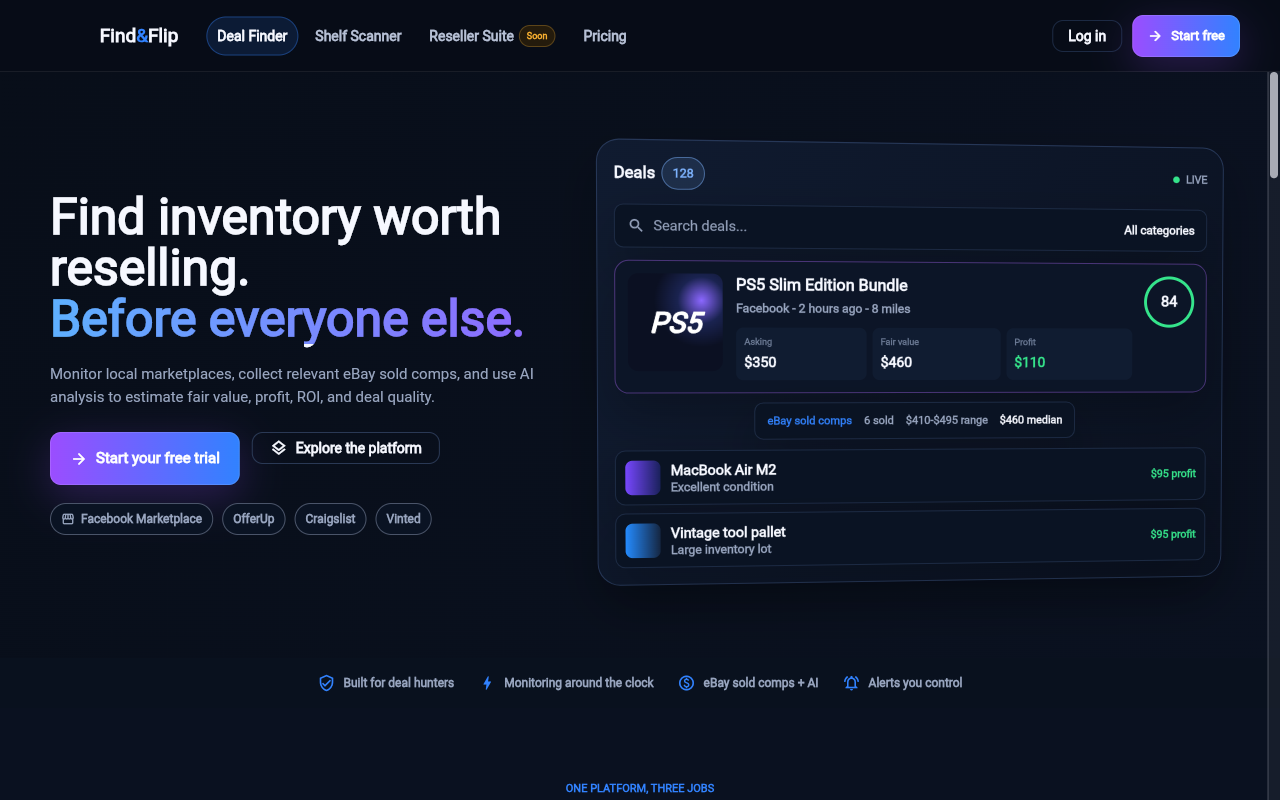
Native alerts help, but dedicated tools that aggregate underpriced listings with eBay sold comps can give you a speed edge. I’ll show you how to systematize this below with fair value estimates and deal scoring for resellers.
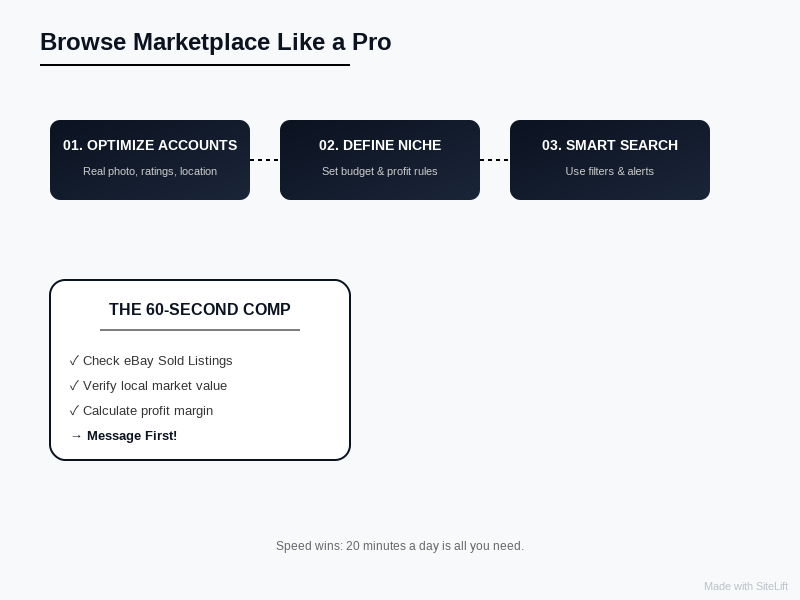
Infographic by SiteLift
Step 4: How Do You Spot an Underpriced Listing in Under 60 Seconds?
Speed is the skill. When you browse marketplace daily, you need a 60-second yes/no checklist.
H3: 5-Second Photo and Description Red Flags vs. Green Flags
Green flags: brand name in photo but not title, “moving must go today,” “OBO,” bundle pricing ($100 for all tools), dusty but intact items, original boxes/manuals.
Red flags: stock photos, price way too low with “shipping only,” seller asks for gift cards or wire, no photo of serial number on high-end electronics, account created this month with zero ratings.
H3: Quick Price Check: Sold Comps on eBay, Facebook, and Google
Open eBay > search exact model > Filter > Show only > Sold Items. Look at last 10 solds, ignore outliers. If Facebook asking price is 40-50% of eBay sold average, you likely have margin.
Example: Dyson V11 listed at $80. eBay solds average $220. After $30 fees/shipping and $10 gas, you clear ~$100. That’s a yes.
For furniture, check Facebook Sold and OfferUp prices in your city — national comps lie. For sneakers and handbags, Google Lens the photo to confirm authenticity and model.
For faster research, many flippers pull Facebook Marketplace listing data with pricing and location filters to compare live listings against historical pricing without opening 20 tabs.
Message template that wins:
Hi [Name], I can pick up today with cash and help load. Would you take $[offer] if I come at [time]? I’m 15 mins away in [town].
Being ready-to-pickup beats a higher offer that says “is this available?”
Step 5: How to Expand Your Browsing Beyond Facebook to Craigslist, OfferUp, and Vinted?
If you only browse Facebook, you’re fighting everyone. Cross-platform browsing is quieter and often cheaper.
H3: Craigslist and OfferUp Browsing Tactics for Local Flippers
On Craigslist, browse the For Sale > by Owner section only, check “search titles only,” and include nearby areas. Use map view for furniture. Don’t skip the Free section — I’ve flipped free solid-wood dressers for $180 after a wipe-down.
On OfferUp, toggle Local vs. Shipping. For flipping, stick to Local + Bundle deals to avoid shipping fees. You can find local buying inspiration and category ideas on OfferUp then filter by “Listed within 3 days” and “Price drops.”
Check the Free and “curb alert” keywords on both: “curb,” “alley,” “driveway pickup.” Less competition, instant pickup.
H3: Using Vinted for Clothing and Small-Item Arbitrage
Vinted shines for clothing, sneakers, and smalls where ThredUp data shows massive resale tailwinds — the global secondhand apparel market is projected to reach $350 billion by 2028, according to the ThredUp Resale Report. Sort by Newest + Price Low to High, follow favorite brands, and watch for price drops.
Workflow to hit all 4 in 20 minutes:
- Facebook (8 min): 3 saved searches, newest first
- Craigslist (5 min): Free + Owner-only in 2 ZIPs
- OfferUp (4 min): Local bundles + price drops
- Vinted (3 min): 2 brand searches, low-to-high
Why I Think Craigslist Is Still Underrated for Flippers
Honestly? I love Craigslist because it’s ugly. No algorithm, no reels, no shipped spam. Just chronological listings from real neighbors who want stuff gone.
In my experience, Facebook gets you volume, but Craigslist gets you the $0 Lane cedar chest and the $50 DeWalt lot because the seller didn’t want to deal with Messenger. If you’re willing to drive and be polite, that friction is your profit margin.
Why Are You Still Missing Good Deals? Common Marketplace Browsing Mistakes to Fix
If you browse marketplace and see only overpriced or shipped items, fix these first.
H3: Algorithm Traps, Too-Narrow Filters, and Slow Response Times
Marketplace not showing or location errors: Update app, clear cache, log out/in, re-enable location, reset radius to 1 mile then back to 25. On desktop, check that VPN isn’t spoofing your city.
Seeing only shipped items: You’re stuck in the For You feed. Go to Filters > Local pickup only, set location manually, sort newest.
Biggest pitfalls I see:
- Searching one keyword instead of synonym stacks
- Setting radius too tight (5 miles) in suburbs
- Waiting an hour to message — good deals go in 10-15 minutes
- Lowballing without a pickup plan (“$20?” with no time or transport)
H3: Safety and Scam Checks Every U.S. Buyer Should Know
Meet in daylight at a police safe-trade station or busy store lot. Bring a friend for anything over $100. Test electronics on the spot, verify serial numbers, and check for recalls.
Never pay with wire transfers, gift cards, or Cash App in advance. Cash or in-person Venmo after you see the item. If a deal feels rushed or the seller won’t video chat or share extra photos, walk away.
| Scam Signal | What to Do |
|---|---|
| Price 90% off retail + shipping only | Ask for local pickup; if no, pass |
| Stock photos, new account | Request live video with date |
| Wants deposit to hold | Offer same-day cash pickup instead |
What Happens After You Find an Underpriced Listing? Turning Browsing Into Profit
Finding it is half the job. Flipping it fast is the other half.
H3: From First Message to Fast Pickup and Flip
Keep a pickup kit in your trunk: cash in small bills, moving blankets, dolly, tie-downs, power bank to test electronics, and tape measure. After pickup, clean, photograph in daylight, and relist within 24 hours while motivation is high.
Track every flip in a sheet: item, buy price, fees, gas, sell price, days to flip, profit. After 20 flips you’ll know exactly which niches pay your rent.
H3: How to Systematize Browsing With FindAndFlip.io
Instead of opening four apps and retyping the same searches, FindAndFlip helps you spot undervalued Marketplace deals with eBay sold comps and deal scoring in one place. Set your niche filters once, scan aggregated listings, and spend your time messaging and picking up — not scrolling.
If you want help getting started, check the answers to common questions about finding undervalued deals to see if automated alerts fit your routine.
FAQ
Can I browse Facebook Marketplace without a Facebook account?
You can see some public listings via Google search without logging in, but you can’t properly browse marketplace with filters, save searches, or message sellers. You need a Facebook account in good standing and the Messenger app to buy. Create an account, add a photo, and wait until Marketplace unlocks — new or flagged accounts often see limited access.
How do I see the newest listings first when I browse marketplace?
Run your search, tap Filters, then Sort by Newest first or Date Listed: Last 24 hours. On desktop it’s more reliable than mobile. Save that sorted search so you don’t have to re-apply it every time. For flipping, always default to newest — default relevance buries fresh underpriced listings.
Why can't I browse Marketplace in my location or on my account?
Usually it’s age (must be 18+), region availability, a new account, or a Community Standards violation. Fix it by updating the app, enabling location, logging out/in, and checking Account Status. If you just created your account, use Facebook normally for a few days — likes, friends, profile info — then try again.
How do I get alerted immediately when cheap or free listings are posted?
Create saved searches for each target keyword + price cap + radius, then enable push notifications (bell icon). Keep alerts to your top 5 searches to avoid mute fatigue. Do morning/evening manual sweeps too — native alerts can lag 15-60 minutes behind posting, and that delay loses deals.
How can I tell if a Marketplace listing is truly underpriced and worth flipping?
Check eBay Sold listings for the exact model, then compare to 2-3 local Facebook/OfferUp solds. Subtract fees (about 13% on eBay), shipping, and gas. If you still clear your minimum profit — I use $75 or 2x — and the seller has solid ratings and urgent language like moving or OBO, it’s worth messaging immediately with a ready-to-pickup offer.
— findandflip.io